How to Configure Live Answer During Business Hours and Auto Attendant After Hours
Prerequisites:
- Office Hours defined
- Main Telephone Number (ex. 954-607-6031)
- Routing User Extension (ex. Main Line Ext 1000)
- Front Desk Extension (ex. Front Desk Ext 1001)
- Auto Attendant Added (ex. ABC High Ext 9005)
Time Frames
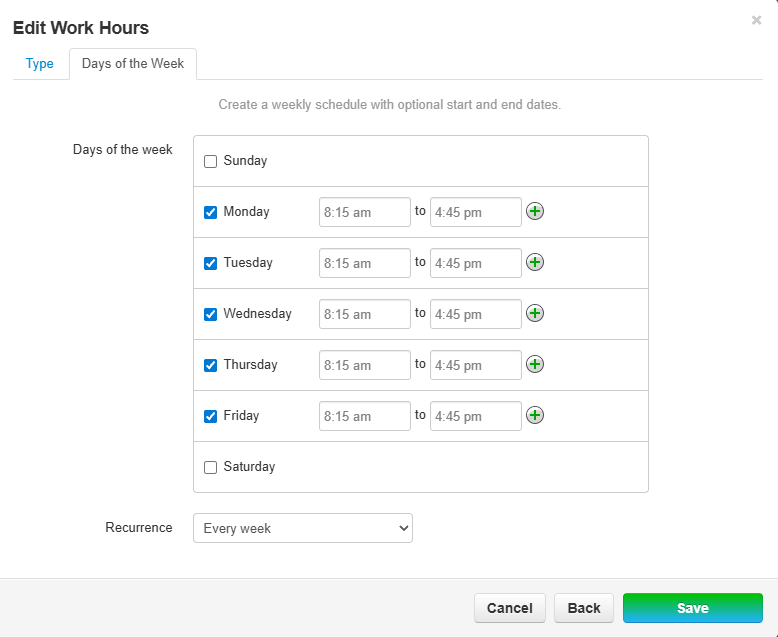
Office Hours:
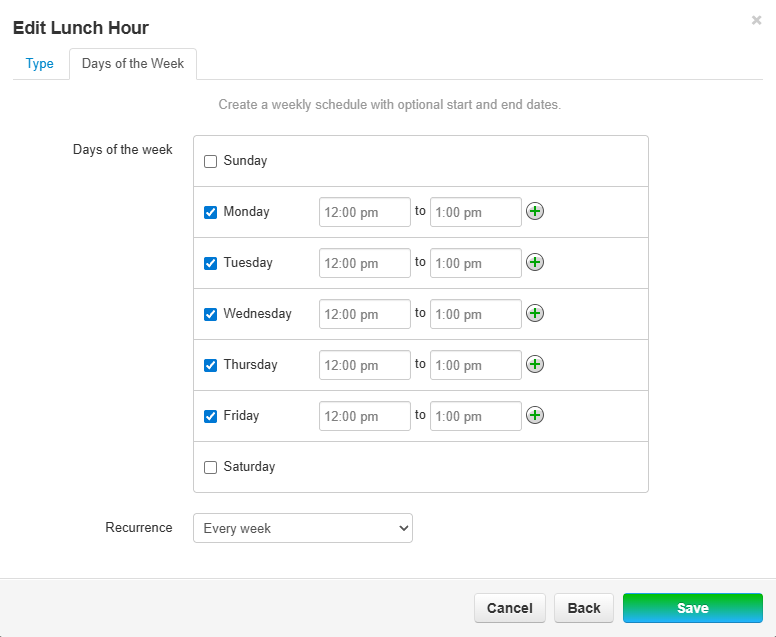
Lunch Hour:
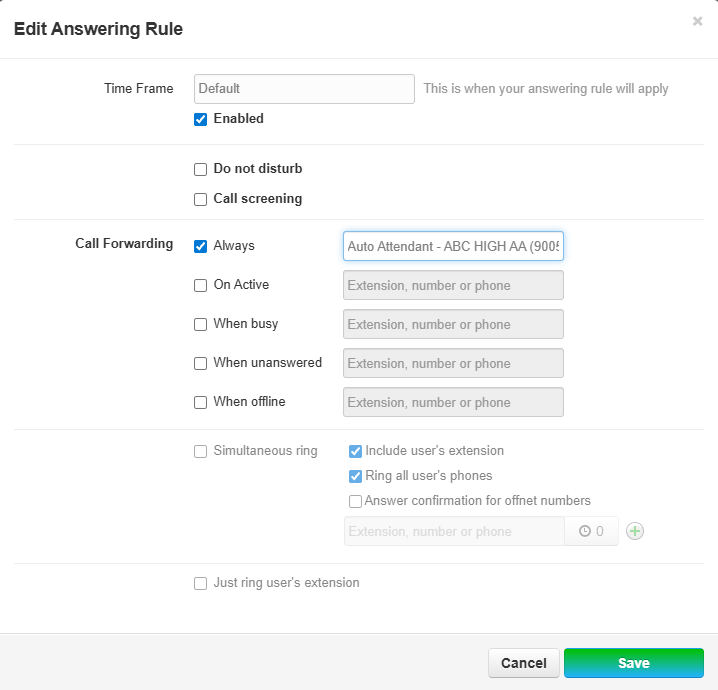
Default:
The "Default" Time Frame will be referenced automatically during all times not defined by the previous time frames. This Time Frame should be treated as "Off Hours" to prevent having to define every single moment of the day
Call Flow
| Number | Action | Number | Answering Rule | Action | Number | Action |
| 954-607-6031 | Routes to | "Main Line" 1000 | Lunch hours | Forward Always | Auto Attendant Ext 9005 | Caller Routes through Menu |
| Office Hours | Forward Always | "Front Desk" Ext 1001 | Live Answer | |||
| Default (Off Hours) | Forward Always | Auto Attendant Ext 9005 | Caller Routes through Menu |
Process
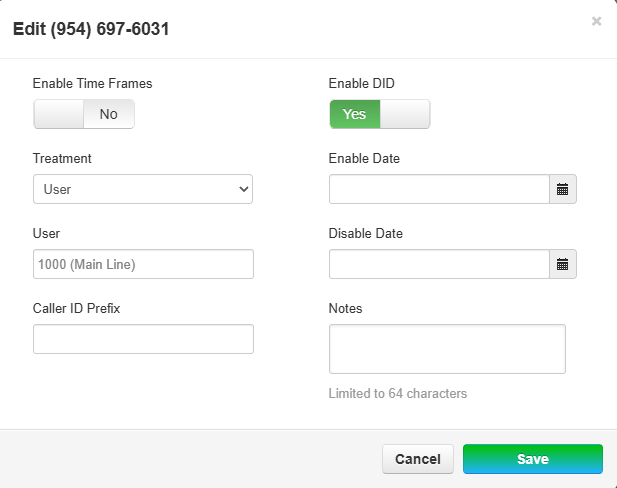
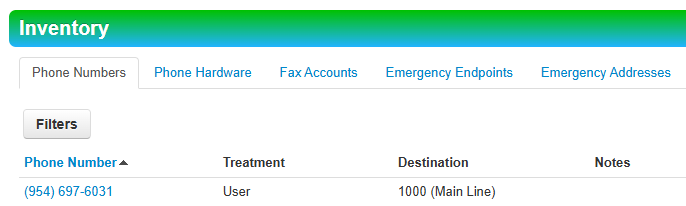
- Inventory > Locate Phone Number (954-697-6031) > Assign Treatment as User > Assign to Ext 1000 (Main Line)
-
- Users > Locate Routing User (Main line) Ext 1000 > Edit > Answering Rules > Add Rule
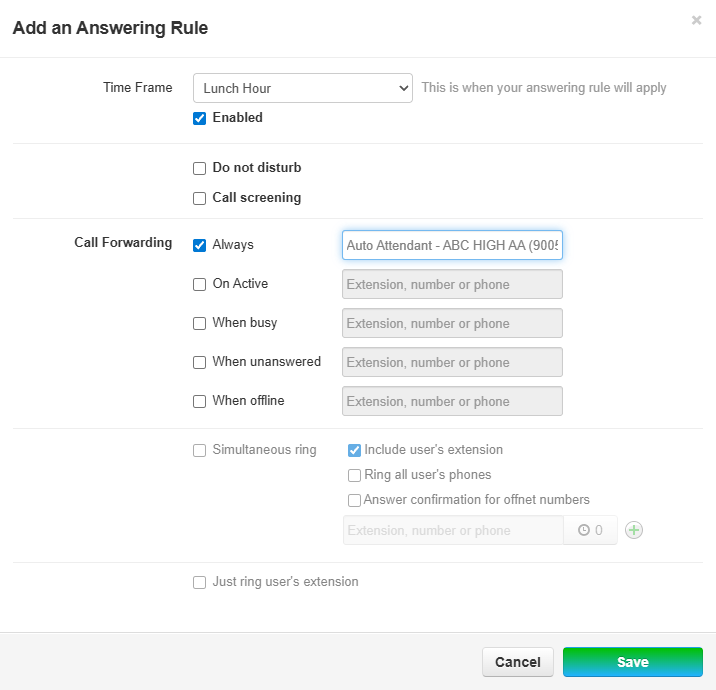
- Lunch Hours > Forward Always to Auto Attendant
-
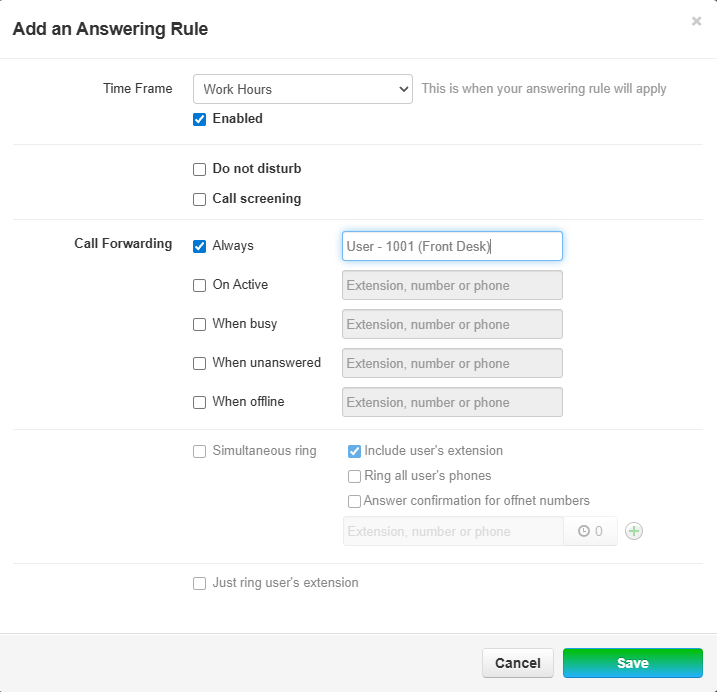
- Work Hours > Forward Always to Front Desk
-
- Default (Off Hours) > Forward Always to Auto Attendant
-
- Finished Answering Rules:
-
- Lunch Hours > Forward Always to Auto Attendant