Sentiment Analysist
In order to see the Sentiments for users in the Call History, the below prerequisites are required.
1. Click on the Users tile.

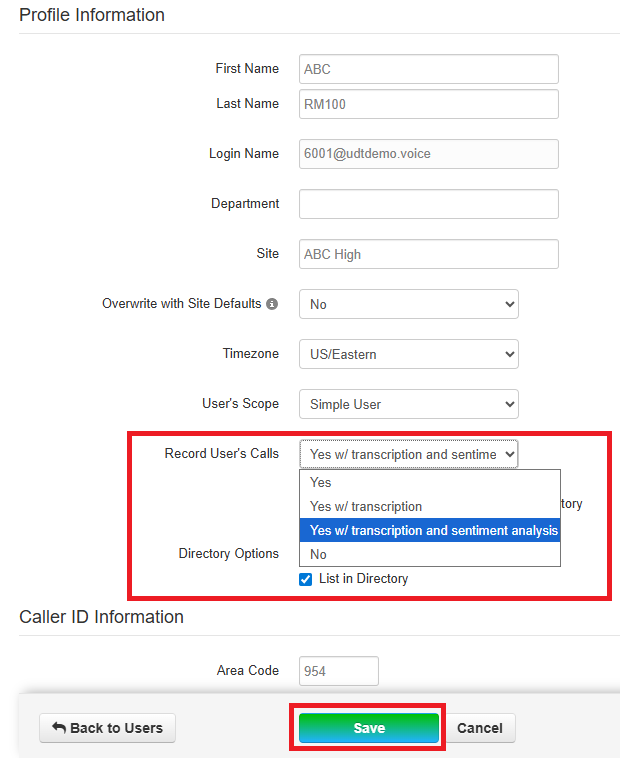
2. Use the search to find desired user then click the blue name to edit OR use the pencil to open edit options.

3. Scroll down to Record User's Calls and select Yes, w/transcription and sentiment analysis. Click Save.
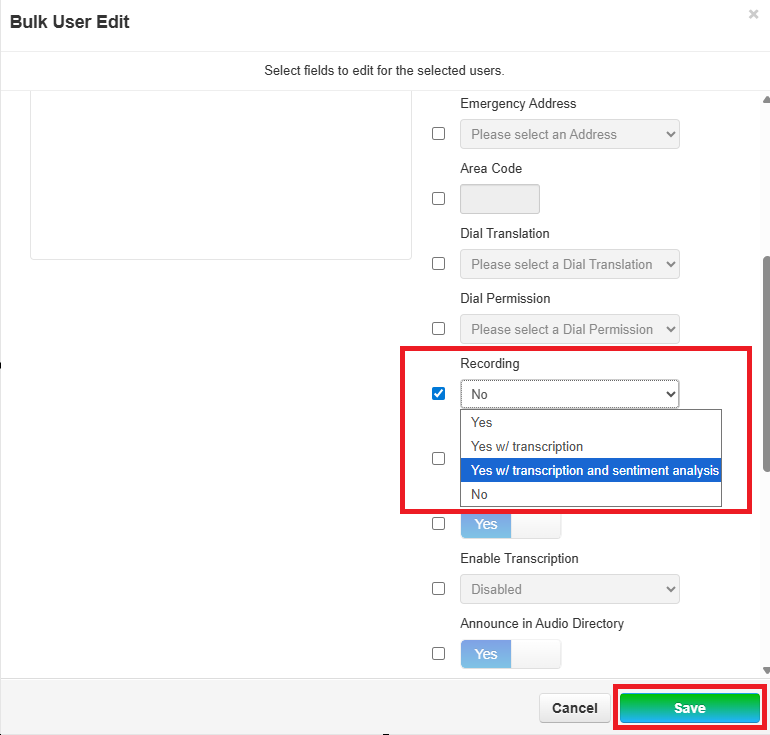
You can also use the Bulk Edit option for making edits to multiple users. See How to Make Bulk Edits to Multiple User Accounts here. When using Bulk Edit, select Recording and Yes, w/transcription and sentiment analysis. Click Save.