How to Add and Configure Sidecar Modules
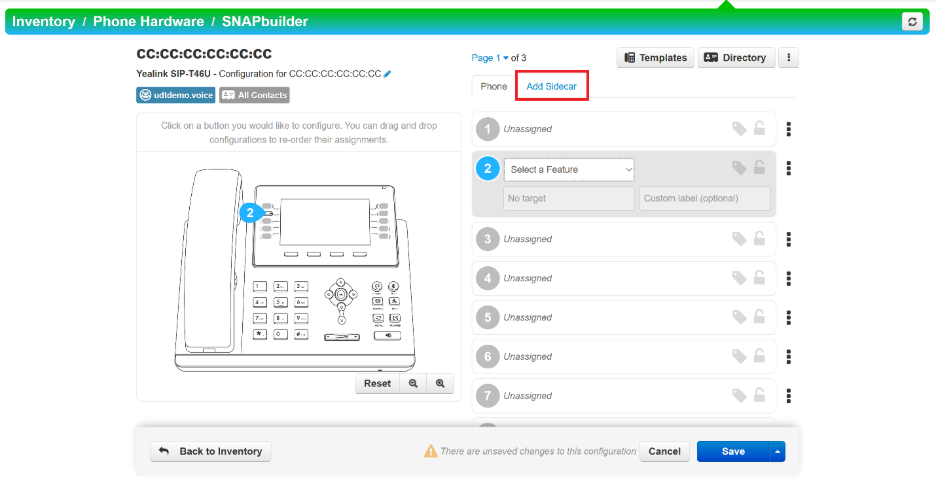
1. To add any additional sidecar expansion modules, select the Add Sidecar tab.
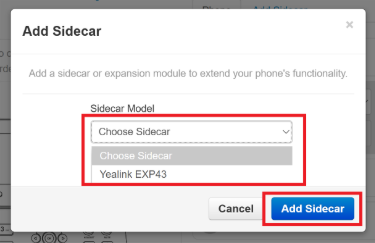
2. In the pop-up menu, click on the drop-down tab and select the sidecar model you will be adding. Then click the blue Add Sidecar button.
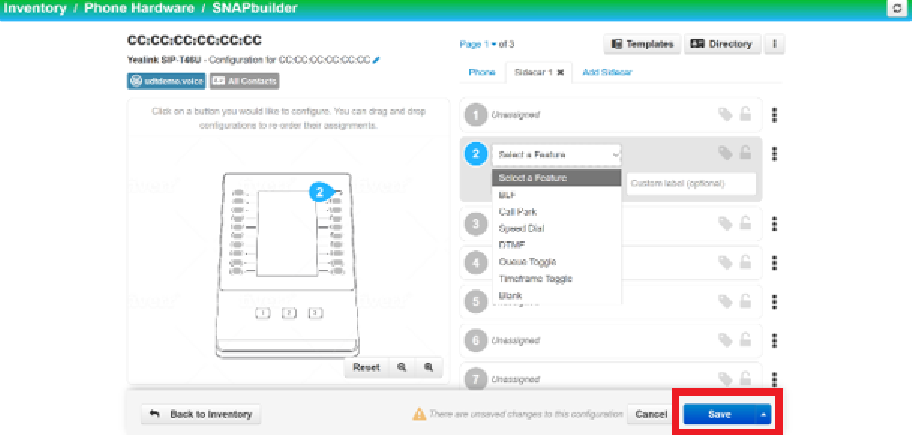
3. Once added, you may configure additional features for the sidecar’s buttons like(it's howthe yousame didprocess foras the main phone.phone button configuration). Note: Some sidecar expansion modules may require power adapters to operate depending on the scenario (e.g., they always need one; for Yealink’s EXP43, having more than one sidecar requires power adapters for the second, third, and onward; etc.). Please refer to the sidecar expansion module’s handbook for more information.