(9.23.26) Self-Service Phone Provisioning
Enhanced Phone Provisioning
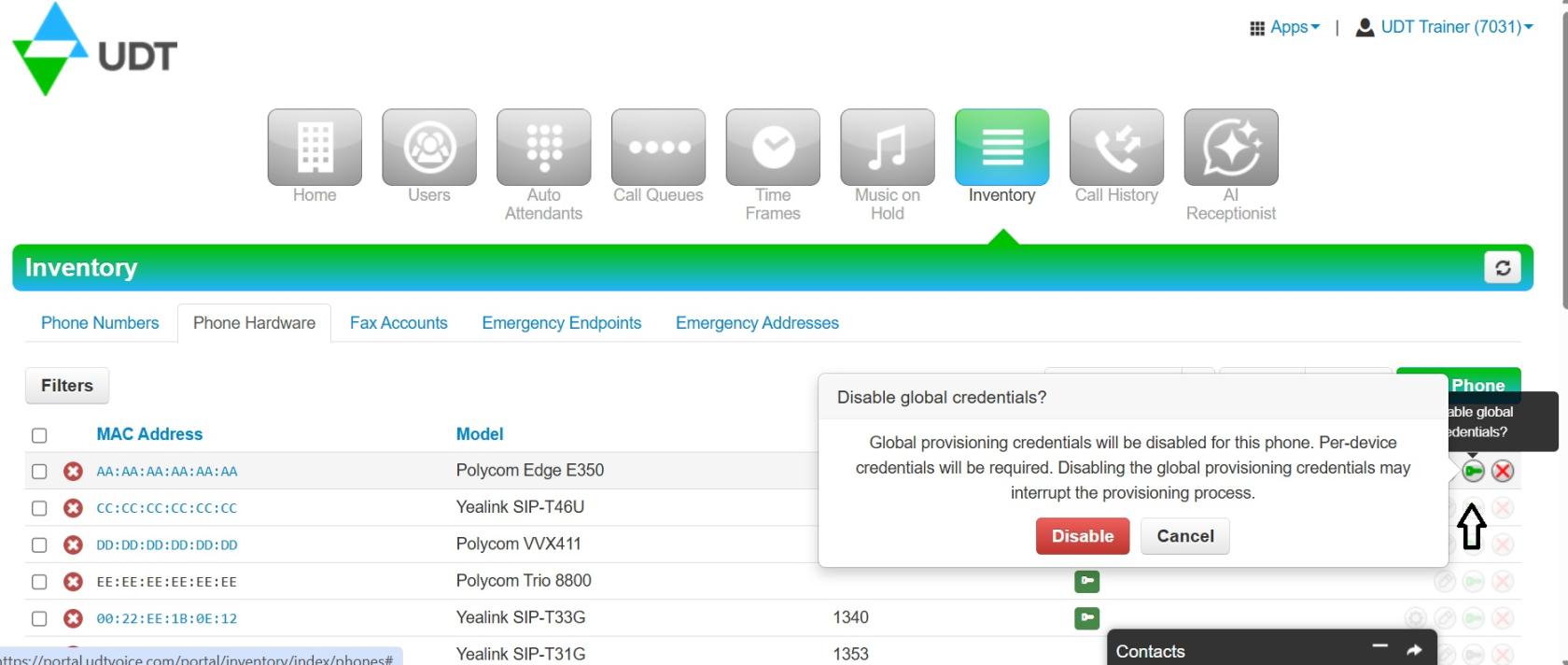
Administrators can now complete additional phone provisioning tasks directly through the UDT Voice portal without contacting the UDT Network Operations Center. New capabilities include factory resetting a phone for reassignment and enabling one time global provisioning credentials.
When one time credentials are enabled, a green key icon appears next to the device. These credentials can be used during the phone’s next resynchronization.
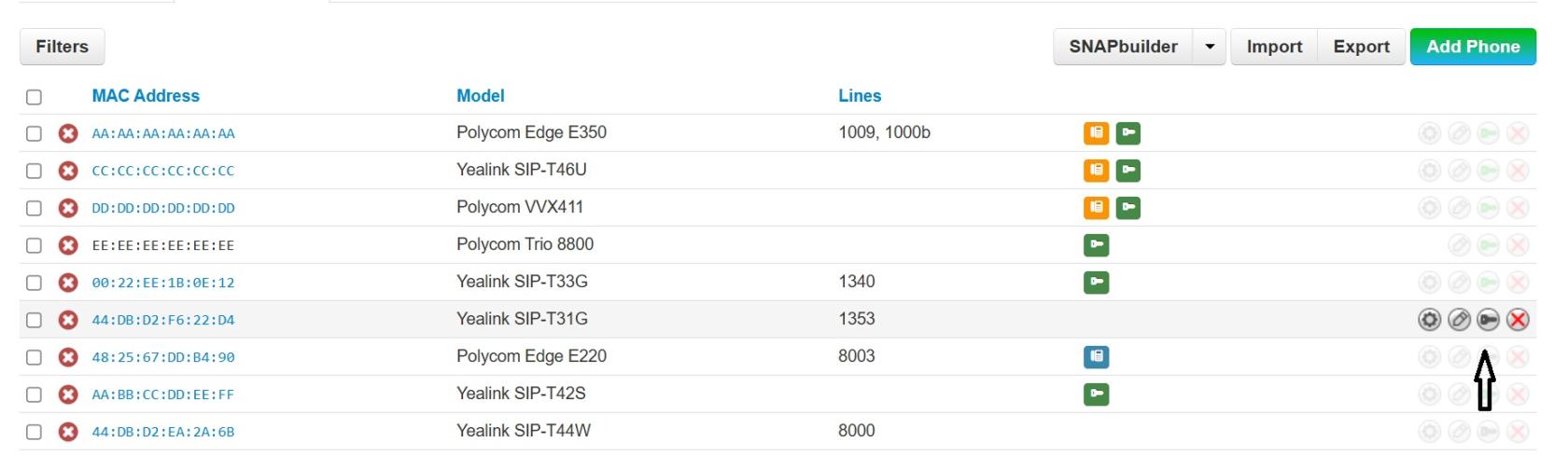
Important: If the black and green key icons do not appear in the far-right column between the pencil icon and the X, you may need to perform a hard refresh of the page. To refresh, use one of the following keyboard shortcuts: Ctrl + F5 or Ctrl + Shift + R. After refreshing, check the far-right column again for the key icons.
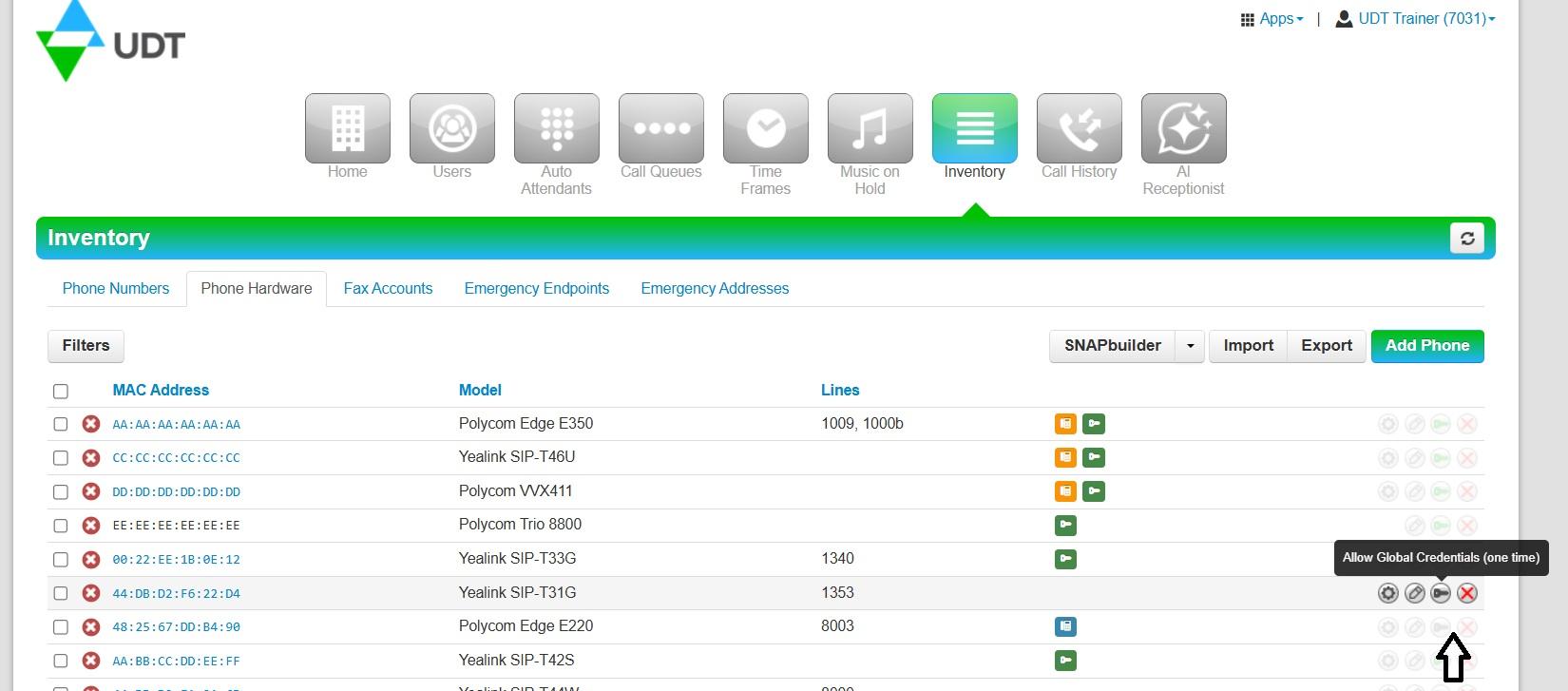
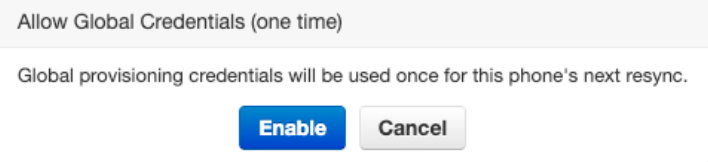
Enable one-time credentials for a device:
Click on the black key in the final column. Once enabled, a green key will appear next to the device:

To disable one-time credentials for a phone:
Click on the green key in the final column.