Office Manager
Logging in and out of the Call Center as an Office Manager can be done two ways:
- Use star codes.
- From the Call Queues tab.
Star Codes
- Use *51 for Agent Login.
- Use *52 for Agent Logout.
From the Portal
1. Click on the Call Queues tab.

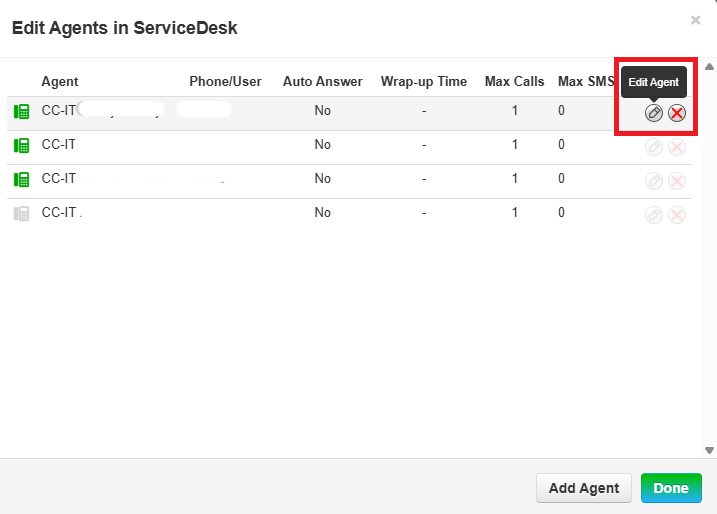
2. Click on Agents (available) to open pop-out window.

3. Click the pencil to Edit Agent.
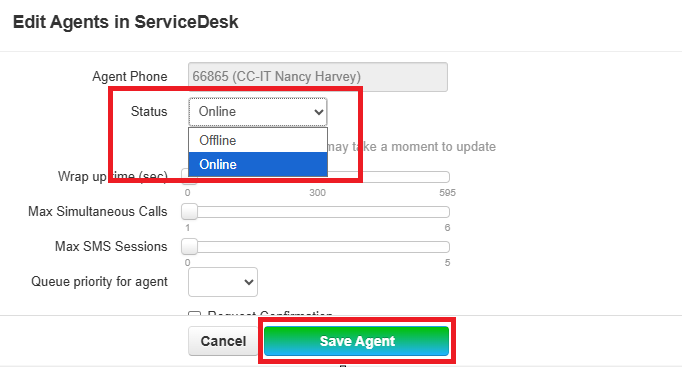
4. Use the dropdown arrow in Status to toggle between Online and Offline. Click Save Agent.