Skip to main content
How to Make Bulk Edits to Multiple User Accounts
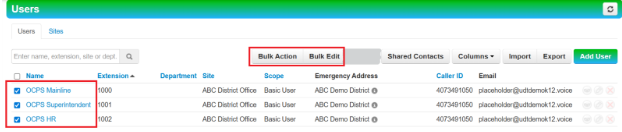
- Click the Users tile.

- Check the box(s) of users making bulk edits to and the Bulk Action/Bulk Edit option will show.
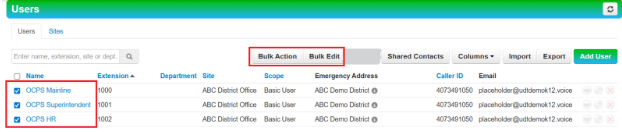
Caution: If you click the Check All checkbox, it will match all users that match the filter, not just what’s on the page. 
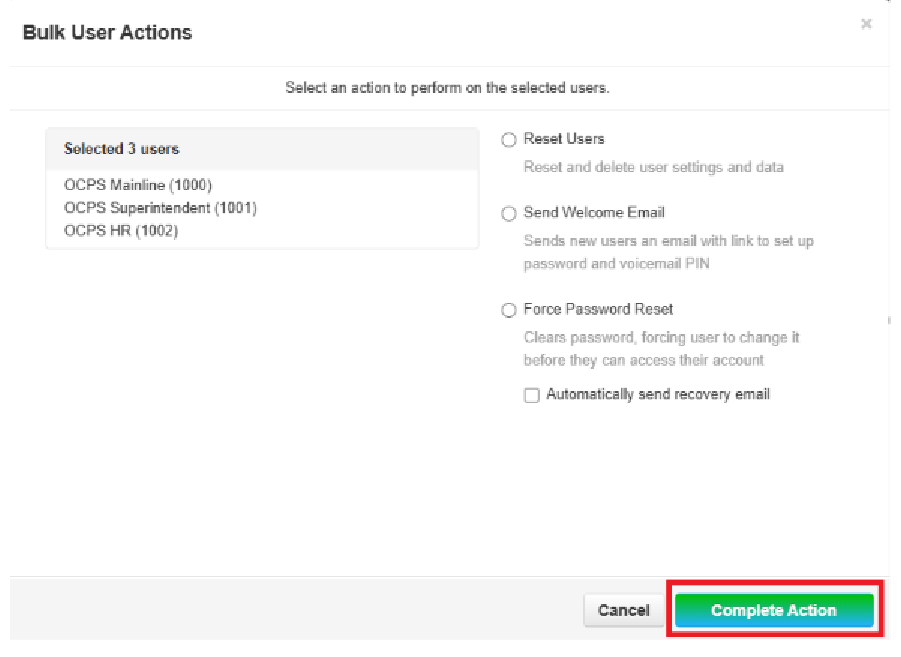
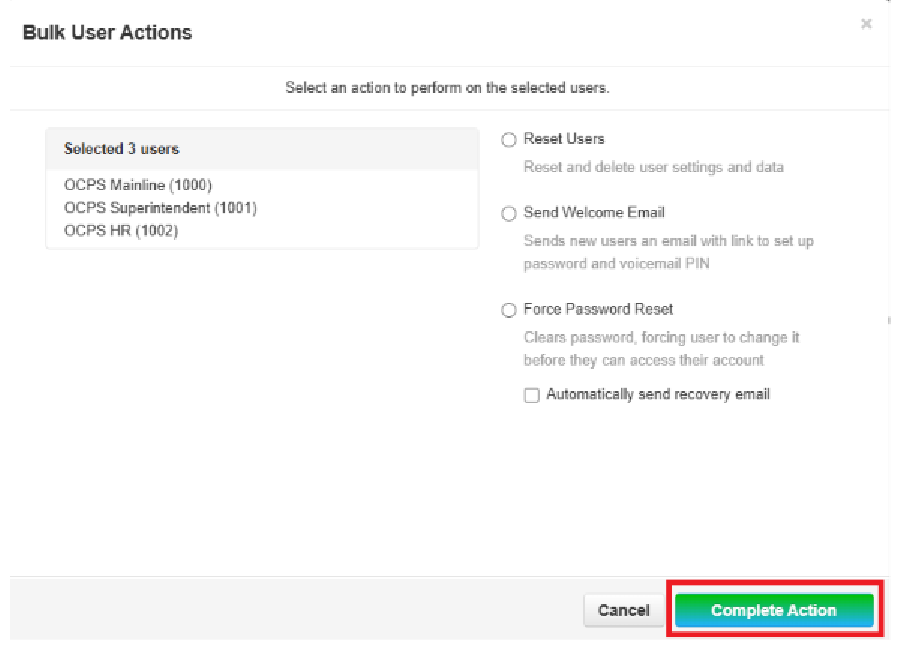
- Bulk
Bulk Action option – this option can be used to Reset Users, Send Welcome Email, and Force Password Reset for multiple users.
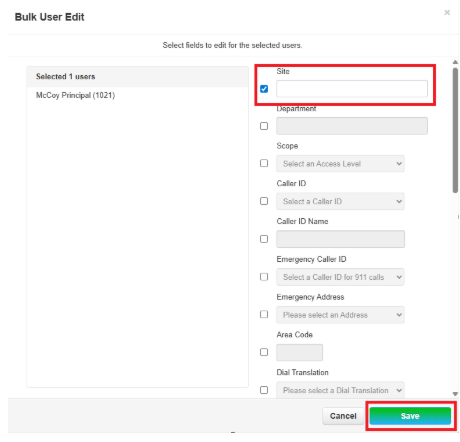
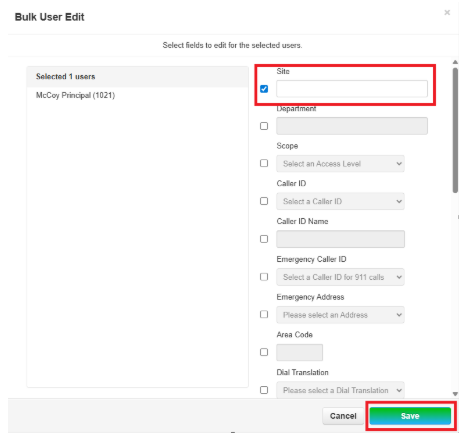
- Bulk
UserEdit Editoption – this option can be used to perform multi actions for multiple users. Note: To edit the field, you must check the box to edit.