
How to Enable 911 Notifications
1. Click on the Users tile

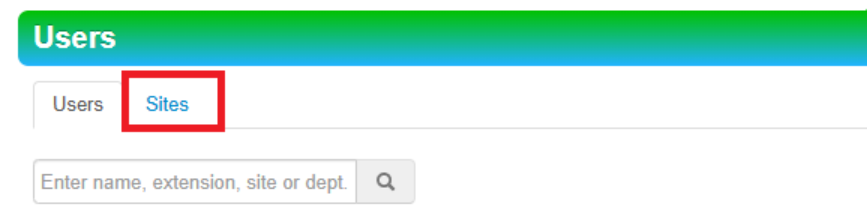
2. Click the Sites tab
3. Click the site name or use the pencil icon to edit the site

4. In the pop out window enter the desired emergency notification email address(es) in the Notify via Email box OR the user(s)in the Notify via Phone Call box and then click Save
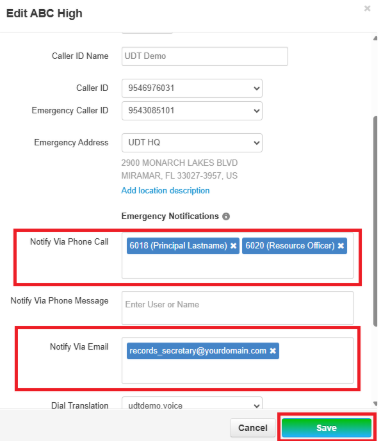
To use Notify via Phone Message, please put in a ticket with the NOC to assign needed configuration changes to the desired phones for notification.